


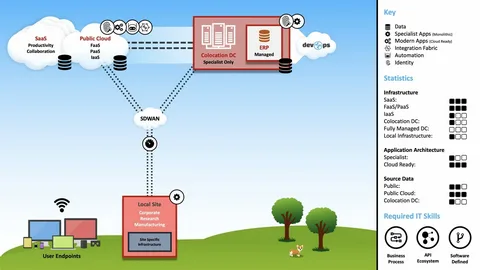
Virtual onsite loops in 2026 rarely unfold across a clean, single-screen environment. The modern interview suite is inherently fragmented: candidates track real-time recruiter updates on a mobile device, sketch architectural diagrams on a tablet, and run the primary enterprise video feed on a laptop. While remote conferencing suites have evolved to support this distributed infrastructure through deep mobile integration and browser-based cross-syncing, a significant portion of the interview tech sector remains tethered to native desktop architectures.
I spent two weeks stress-testing how this localized, desktop-only boundary impacts a candidate’s operational focus across varying hardware configurations, localized network drops, and strict security environments. The goal wasn’t merely to see if the engine functions, but to map out exactly what breaks when the local computing environment becomes unpredictable.
The Chaos of Reality vs. The Ideal Laboratory Baseline
The polished marketing narrative of remote hiring—one developer, one high-spec machine, and a silent, dedicated office—frequently collapses under real-world conditions. Job seekers routinely connect from shared workspaces with fluctuating packet delivery, or find themselves utilizing corporate hardware monitored by aggressive security policies. To see how a localized AI interview tool handles these real-world friction points, I deployed and audited the platform across three distinct environments:
- Scenario A: A personal MacBook Pro stationed in a dedicated workspace backed by synchronous fiber broadband.
- Scenario B: A custom Windows desktop situated in a shared apartment utilizing standard Wi-Fi during peak evening traffic.
- Scenario C: A work-managed corporate notebook locked down by enterprise Mobile Device Management (MDM) protocols.
Technical Deconstruction: Performance Across Three Frontline Scenarios
[Local Ingestion Layer] │ ┌────────────────────────┼────────────────────────┐ ▼ ▼ ▼ [Scenario A: Fiber Fiber] [Scenario B: Peak Wi-Fi] [Scenario C: Corporate MDM] – Sub-second Pacing – 2-3s Packet Latency – Kernel-Level Block – Zero Frame Drops – Cognitive Load Spike – Deployment Failure
Scenario A: The Clean-Room Environment
Operating over a personal MacBook Pro backed by unthrottled fiber, the native application performed exactly as its architectural blueprints promised. Once I bypassed the operating system’s unverified developer warnings, the visual overlay integrated with sub-second processing speed.
Throughout a continuous two-hour mock loop, the logic suggestions maintained perfect synchronization. The local CPU and memory registers retained ample headroom, and the stealth display matrix caused zero rendering conflicts with Zoom or open web-based development tools. Under these optimal conditions, the platform delivers an uncompromised experience: crisp, contextually precise suggestions that you can absorb without shifting your focus away from the webcam.
Scenario B: The Shared Broadband Bottleneck
The Windows desktop was positioned in a communal living area where multiple roommates were actively streaming content. The local connection—a standard broadband link with highly erratic upload scaling—frequently dropped below the threshold required for seamless cloud-based model inference.
When the local network fluctuated, the display layer didn’t crash; instead, the system introduced a visible processing lag, delivering suggestions two to three seconds after the mock interviewer had finished speaking. During one specific test loop, the HUD displayed a brief reprocessing state, forcing me to manually extend my introductory remarks while waiting for the next logical prompt.
Scenario C: The Enterprise Device Lockout
The final testing environment exposed the most critical barrier for actively employed professionals. The corporate-issued notebook, heavily managed by enterprise security software and strict kernel-level code-signing policies, completely rejected the platform’s installation package.
Because the installer lacked an enterprise-signed developer certificate, the operating system blocked execution at the root level, leaving no user-facing option to override the threat warning. This isn’t a defect within the application itself—it is the reality of modern corporate endpoint security.
However, it reveals a massive operational constraint. A huge percentage of active job seekers conduct their confidential interviews utilizing company-issued hardware. A desktop-only real time AI interview copilot that demands deep local installation cannot serve this specific demographic. While a lightweight browser extension or a secondary mobile app would easily circumvent this restriction, neither exists within the current desktop-exclusive architecture.
Operational Walkthrough: Breaking Down the Core Workflow1. Initialization and Root Deployment
The platform’s landing page detects your native operating system and serves up the corresponding deployment package. On clean, personal machines, configuration takes only a few moments once local security clearanaces are granted.
However, because the documentation offers no portable, zero-install alternative, candidates tied to employer hardware are forced to acquire a completely separate personal machine. This introduces unexpected logistical complexity and hardware costs that traditional product marketing typically glosses over.
-
Context Calibration & The Network Blindspot
Once deployed, the local dashboard handles resume indexing, job role alignment, and personalized background notes cleanly.
[Target Resume PDF] + [Custom Project Markdown] ───► [Local Profile Registry] │ ▼ [Zero Diagnostic Reporting] (No Latency or Ping Metrics)
The system’s most notable operational flaw during this phase is the complete lack of live network diagnostics or pre-flight connection metrics. The interface provides no telemetry regarding your active ping or data transfer speeds before a live session starts.
I found myself forced to run independent terminal-level speed tests prior to every mock round to confirm whether the local Wi-Fi would cooperate. Integrating a simple, low-profile connection status indicator directly into the initialization flow would allow candidates to swap access points or relocate before the hiring panel connects, rather than discovering a network lag mid-sentence.
-
Display Layer Activation and Spatial Constraints
With the baseline data loaded and the network assumed to be stable, the candidate initializes the transparent overlay and connects to the video loop. I tested this setup across a dual-monitor layout—a common architecture for modern remote workers.
While the overlay rendered beautifully on the primary screen where the video suite was active, dragging the conferencing window over to the secondary monitor did not dynamically reposition the AI suggestion box. The panel required a manual drag-and-drop adjustment, a minor interaction that could easily break your concentration if forced to do it mid-sentence. On single-monitor configurations, however, the bounding box remained perfectly anchored, even when jumping between video streams and local text environments.
Head-to-Head: Infrastructure and Deployment ModelsArchitectural ParameterLightweight Web ExtensionsDecentralized Mobile Companion AppsLinkjob AI Native Desktop ClientEnterprise CompatibilityDependent on localized browser policy controlsHigh; operates on a completely isolated hardware stackBlocked entirely by strict corporate endpoint policiesMulti-Display AlignmentFluid; naturally follows active browser windowsIsolated; zero dependency on monitor configurationsRequires manual drag-and-drop mapping on dual screensNetwork ReliabilityBound to the browser’s active execution threadHigh; can pivot to cellular data as a fallback networkWholly dependent on the desktop machine’s active connectionWorkspace PortabilitySynced instantly via cloud-based browser accountsHigh; functions on any calibrated mobile deviceTied to a specific machine; requires localized setupCapture Flag StealthVariable; basic scripts can capture extension elementsAbsolute; completely detached from the primary machineExceptional; verified immune to native screen captureBalancing Technical Dominance Against Accessibility
This desktop-exclusive architecture represents both the platform’s core advantage and its most significant limitation. Key engineering triumphs—such as the complete absence of process tracking indicators, system-level task concealment, and absolute immunity to screenshot detection tools—are only possible because the application runs as a native desktop process with low-level kernel accessibility. This deep technical foundation delivers the absolute stealth that competitive browser-based plugins simply cannot replicate.
Yet, this architectural choice creates a rigid barrier for a massive segment of the job market. Employed candidates bound to company laptops, individuals in regions where mobile-first computing dominates, or those utilizing shared workstations are completely locked out of the ecosystem.
For engineers who control their personal hardware environment, maintain stable, high-bandwidth networks, and have the technical competence to handle local security overrides, this native desktop architecture delivers an uncompromised level of security and low-latency feedback. For users outside of that specific environment, the entry barrier remains high—not due to the quality of the model’s intelligence, but because the underlying delivery framework screens out candidates before they ever have the opportunity to read an on-screen suggestion.
